For this article, I install a virtual machine with Rocky Linux 9.4 with hardware of 4CPU, 8GB of RAM and 40GB of hard drive space.
Lets update and install some packages.
dnf -y install git curl make tar wget
dnf -y update
Disable Selinux and firewall. Firewall we can enable later on.
    sudo setenforce 0
    sudo sed -i 's/^SELINUX=.*/SELINUX=permissive/g' /etc/selinux/config
    cat /etc/selinux/config | grep SELINUX=

    sudo systemctl disable firewalld --now
Install Kubernetes by running:
For latest version (Sep 2025): use this:
curl -sfL https://get.k3s.io | INSTALL_K3S_VERSION=v1.33.5+k3s1 sh -s - server --write-kubeconfig-mode 666For latest version (as of March 2025): use this:
curl -sfL https://get.k3s.io | INSTALL_K3S_VERSION=v1.31.6+k3s1 sh -s - server --write-kubeconfig-mode 666or for previous stable version use:
curl -sfL https://get.k3s.io | INSTALL_K3S_VERSION=v1.29.7+k3s1 sh -s - server --write-kubeconfig-mode 666Check to see if the k3s cluster is running:
kubectl get nodes

NAME   STATUS   ROLES                  AGE     VERSION
awx    Ready    control-plane,master   2m51s   v1.33.5+k3s1
Clone awx-operator
  cd /opt
  git clone https://github.com/ansible/awx-operator.git
  cd /opt/awx-operator
  git checkout 2.19.1
  export NAMESPACE=awx
  make deploy

namespace/awx created
customresourcedefinition.apiextensions.k8s.io/awxbackups.awx.ansible.com created
customresourcedefinition.apiextensions.k8s.io/awxmeshingresses.awx.ansible.com created
customresourcedefinition.apiextensions.k8s.io/awxrestores.awx.ansible.com created
customresourcedefinition.apiextensions.k8s.io/awxs.awx.ansible.com created
serviceaccount/awx-operator-controller-manager created
role.rbac.authorization.k8s.io/awx-operator-awx-manager-role created
role.rbac.authorization.k8s.io/awx-operator-leader-election-role created
clusterrole.rbac.authorization.k8s.io/awx-operator-metrics-reader created
clusterrole.rbac.authorization.k8s.io/awx-operator-proxy-role created
rolebinding.rbac.authorization.k8s.io/awx-operator-awx-manager-rolebinding created
rolebinding.rbac.authorization.k8s.io/awx-operator-leader-election-rolebinding created
clusterrolebinding.rbac.authorization.k8s.io/awx-operator-proxy-rolebinding created
configmap/awx-operator-awx-manager-config created
service/awx-operator-controller-manager-metrics-service created
deployment.apps/awx-operator-controller-manager created
kubectl get pods -n $NAMESPACE
                                                READY   STATUS  RESTARTS   AGE
awx-operator-controller-manager-7875f768df-54kxh   1/2  Running     0      35s
Let’s install AWX
cp awx-demo.yml awx.yml
vi awx.yml
When you edit awx.yml, just change the -> name: awx
kubectl config set-context --current --namespace=$NAMESPACE
kubectl apply -f awx.yml
kubectl logs -f deployments/awx-operator-controller-manager -c awx-manager
It can take 5min for the above to complete, so please be patient.
kubectl get pods -l "app.kubernetes.io/managed-by=awx-operator"


NAME                         READY   STATUS      RESTARTS   AGE
awx-migration-24.6.0-8b4qf   0/1     Completed   0          4m39s
awx-postgres-15-0            1/1     Running     0          6m20s
awx-task-65f6558f5b-4lnjk    4/4     Running     0          5m40s
awx-web-5bf564fdff-78zck     3/3     Running     0          5m41s

[root@awx ~]# kubectl get svc -n awx

NAME                                              TYPE        CLUSTER-IP    EXTERNAL-IP   PORT(S)    AGE
awx-operator-controller-manager-metrics-service   ClusterIP   10.43.196.241   <none>      8443/TCP   26m
awx-postgres-15                                   ClusterIP   None            <none>      5432/TCP   24m
awx-service                                       NodePort    10.43.238.44    <none>    80:30414/TCP 24m
Use the following command to retrieve the default admin password
kubectl -n awx get secret awx-admin-password -o jsonpath="{.data.password}" | base64 --decode; echo

5hurN4J1TJDZMgOEBOazrq4Kn5vmyfG1
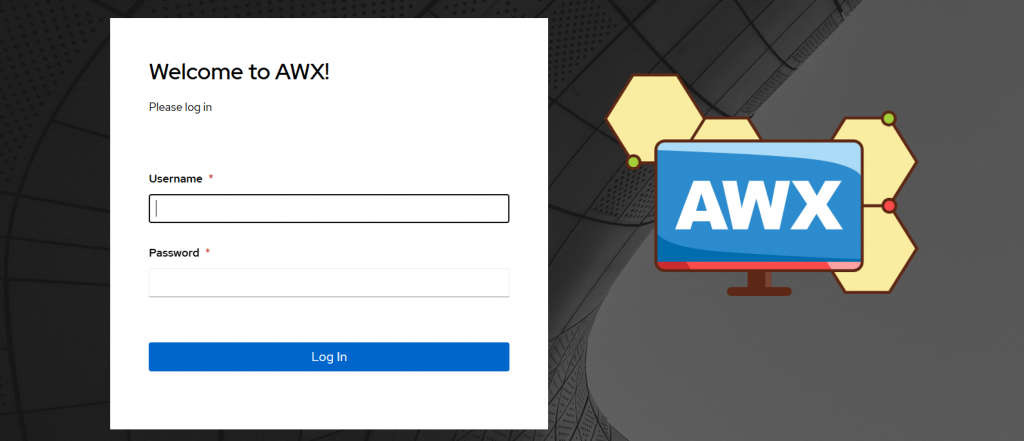
Try to login: http://hostname:30414/#/login
Enable Firewall ports:
sudo systemctl enable firewalld --now
firewall-cmd --permanent --add-port=6443/tcp #apiserver
firewall-cmd --permanent --zone=trusted --add-source=10.42.0.0/16 #pods
firewall-cmd --permanent --zone=trusted --add-source=10.43.0.0/16 #services
firewall-cmd --zone=public --add-port=30414/tcp --permanent
firewall-cmd --reload
Useful K3S Commands
/usr/local/bin/k3s-killall.sh

kubectl get all

awx-manage changepassword admin
Leave a Reply